 Your bookkeeping bear
Text a bear.
Track your money.
Kuma is a small, clumsy, warm AI bear who keeps your books. Say what you spent the way you would text a friend. Kuma reads it, files it under the right category, writes it down, and says something kind back. That is the whole app.
Kuma
AI
tidy & ready
Live demo
Tap one to send it
A conversation, not a form.
Fix it by saying so
"that was actually 12", "that one was income". Correction is a sentence, not a form.
Ask about it
"how much on coffee this month?" Kuma reads the answer off your ledger instead of guessing at it.
Money in counts too
Income and refunds sit in the same book, with in, out and net.
What you get for keeping it up.
Charts are the byproduct, never the promise. Log for ten seconds a day and the picture fills itself in.
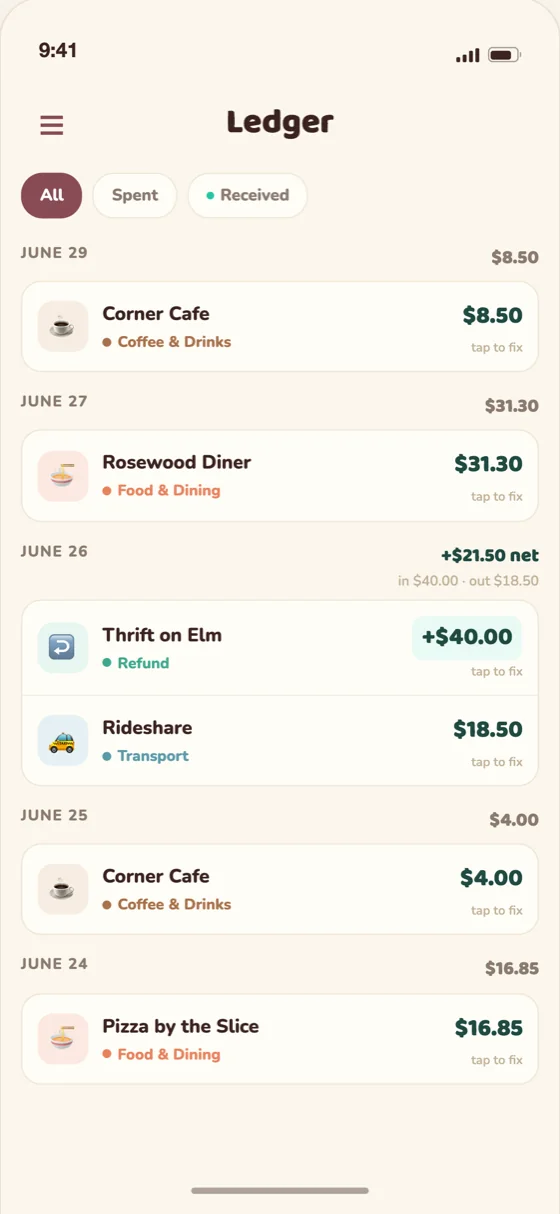
One clean book
Every entry, filterable by money in and money out.
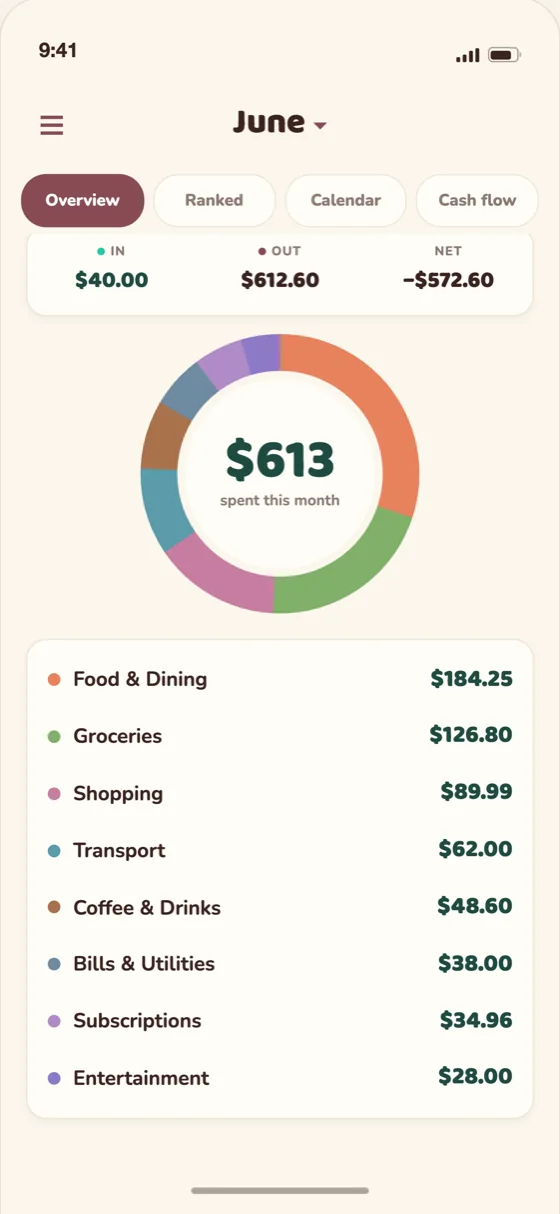
The monthly ring
Net for the month up top, then where it went, by category, biggest first.
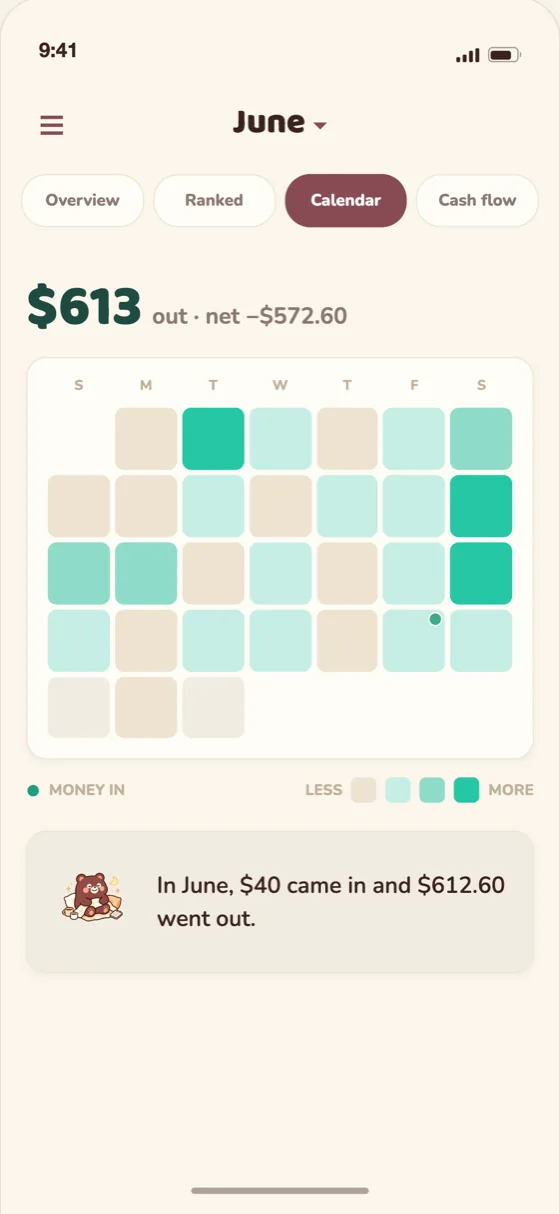
Your month, one square a day
A calendar you can read in a glance.
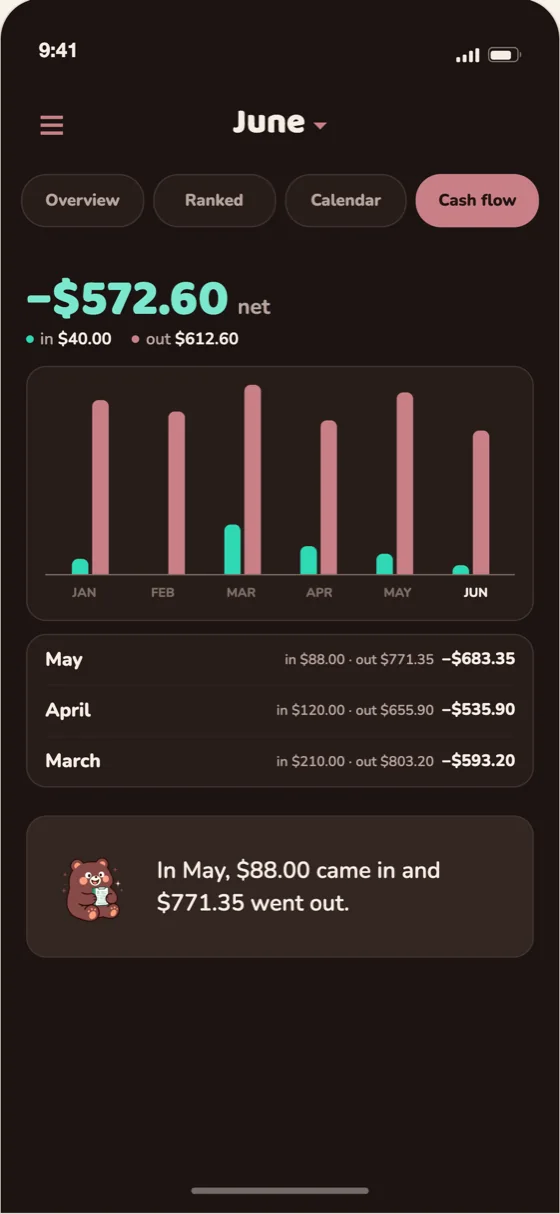
Six months, side by side
Cash flow in and out, plus dark mode for logging dinner in bed.
One sticker per reply.
Kuma is clumsy in manner and precise in work. The bear is a bit of a mess. The numbers never are.











































Questions.
No bank login needed. Nothing to connect, nothing to wait for. You can start in the time it takes to type a sentence.
To understand a sentence like “lunch at blue bottle for $4”, Kuma sends your message to an AI provider. The Privacy Policy explains exactly what is sent and where it goes.
Say so. “that was actually 12” or “that one was income” is enough, and every entry can be edited or deleted in the app. Kuma always states the amount and the category back so you can catch it.
Kuma reads totals off your ledger rather than calculating them in the model. When you ask how much you spent on coffee, the number comes from your own entries.
No. Kuma notices and records. No budgets, no goals, no streaks to break, no notification at 9pm about your coffee habit.
You can delete your account and everything in it from inside the app, whenever you like.
Selected App Store countries and regions, on iPhone, with an English interface. Each account uses one chosen currency; Kuma does not convert amounts.